

Accessible Website
Everyone should be able to use your website. Regardless of limitations or devices. We build pages that are accessible to everyone. In doing so, we follow the current guidelines such as WCAG and BITV.

Why Accessibility?
Digital offerings must be accessible to everyone. They are often indispensable, especially for people with disabilities. Anyone who excludes them sacrifices reach and trust.
We review your website in two steps: professionally and practically. In the end, you receive a report with specific recommendations. If desired, we can also implement them directly.
Understanding Accessibility
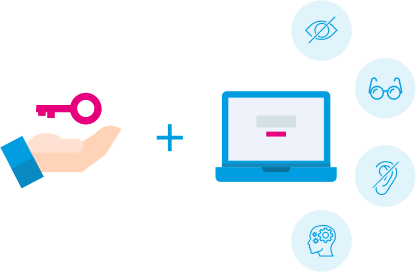
For people with disabilities, the internet can be like a closed book that is hardly perceptible and difficult to access. Different sensory, cognitive, and motor disabilities and limitations also mean different barriers on the web.

Blind users
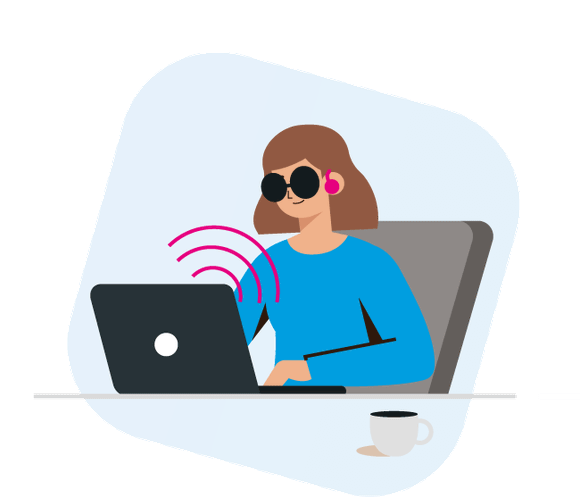
Blind users operate the computer without a mouse or monitor and rely on the auditory or tactile output of screen readers and Braille displays.

Visually impaired users
Users with visual impairments and seniors whose vision is limited need individual adjustability of the visual display on the screen.

Deaf users
Deaf and hard-of-hearing people have never learned written language or have only learned it insufficiently. As a result, it is almost impossible for them to understand text content on websites. To be able to use the internet, avatars must reproduce the existing texts in sign language. Often, existing videos are also provided with subtitles.

Motor-impaired users
Users with motor impairments cannot move their arms and fingers completely freely and therefore depend on operating the computer via an on-screen keyboard and a specially controlled mouse (head mouse, mouth mouse, joystick mouse).

Cognitively impaired users
Users with cognitive impairments often have difficulty absorbing and processing information. They therefore need particularly simple content with easy-to-understand text.


WCAG 2.0
The Web Content Accessibility Guidelines (WCAG) define how websites can be designed to be accessible. They are based on four principles: content should be perceivable, operable, understandable, and robust.
The guidelines cover the 4 most important areas of website interaction in 61 success criteria:
- Perceivability
- Operability
- Understandability
- Robustness
Currently, version 2.2 is valid (since October 2023). It supplements earlier versions with requirements for people with cognitive impairments and mobile users. WCAG is legally relevant in many countries and recognized as an international standard (ISO/IEC 40500).
We implement these standards in our projects and check websites for compliance.
BITV 2.0
The Barrier-Free Information Technology Ordinance (BITV) regulates the requirements for accessible web design for public bodies in Germany. It is based on the Disability Equality Act (BGG) and is content-wise aligned with the WCAG principles.
The current version from 2019 implements EU Directive 2016/2102. Instead of its own technical specifications, it refers to Europe-wide harmonized standards.
For private providers, the European Accessibility Act (Directive 2019/882) becomes relevant from 2025.
EU Directive
With the BFSG, Germany implements EU Directive 2019/882. From 28 June 2025many private companies must offer accessible products and digital services.
Among those affected are, among others
- online shops
- banking services
- e-books
- operating systems
- self-service terminals
The goal is a uniform standard for accessibility throughout the EU. The law applies to new products and services, with exceptions for microenterprises.
assistive technologies
People with disabilities use special aids to be able to operate computers and websites. Here we present the most important ones.
screen reader
Blind or visually impaired people use screen readers to have content read aloud or output on a Braille display. This allows them to orient themselves and navigate websites.

Braille display
Braille displays output content in tactile form. People with severely limited or no vision often use them together with a screen reader.

screen magnifier
With limited vision, magnifier programs help enlarge content and adjust contrast. Many systems already include these functions.

on-screen keyboard
Anyone who cannot use the keyboard, or can only use it to a limited extent, operates the computer via an on-screen keyboard shown on the screen using a mouse or other input device.

voice input
Voice input enables control by voice. It is especially helpful when hands or arms can only be used to a limited extent or not at all.
2-phase model
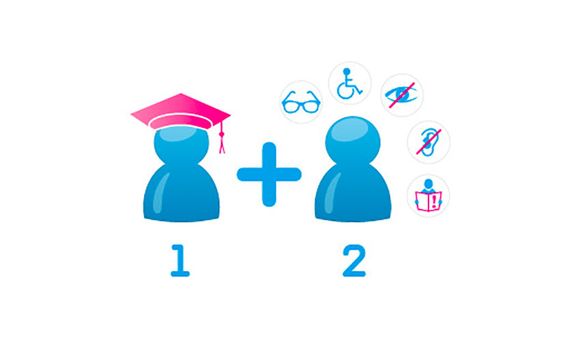
WCAG and BITV provide a good basis for accessible web design. Our 2-phase model goes further. First, specialists review the site. Then people with disabilities test the use in practice.
Phase 1: expert knowledge
In a first phase, usability experts test your website with a testing procedure based on the current WCAG and BITV guidelines and identify barriers.

Phase 2: authentic testing
In the second phase, affected people test the web offering by interacting with the website naturally. In doing so, they also use the assistive technologies they rely on when using the internet.

reference accessible testing


City of Oldenburg website
The website of the City of Oldenburg is legally required to be designed accessibly. e-pixler tested the website in a 2-phase model.
First, accessibility experts examined the city of Oldenburg's online presence using testing procedures based on WCAG 2.0/2.1 and BITV 2.0 guidelines. In phase 2, authentic user tests were carried out. Affected people completed predefined tasks on the website and used the assistive technologies they depend on.
e-pixler summarized the results of both phases in a clear presentation that also conveys recommendations for action for accessibility that has not yet been implemented or has not been fully implemented. It was important for the client to determine that most of the test steps are okay for at least one element. This means that there is knowledge of it, but implementation must be carried out more consistently across all affected elements. Regular review is particularly important when new elements keep being added for reasons of timeliness.
Aktuelles zu: Barrierefreiheit
Alle Artikel anzeigen


Would you like support from our accessibility specialists?
Please write to us or call us at
