

What exactly does ARIA mean?
ARIA is an abbreviation and stands for Accessible Rich Internet Applications, or, freely translated: extensive accessible internet applications. However, since this is an official W3C specification, the English term is always used.
What does ARIA do?
ARIA is a collection of defined attributes that were developed primarily for use in HTML source code in order to enrich that source code with additional information that can in turn be recognized and interpreted by assistive technologies.
ARIA is primarily intended for custom-built widgets and other components that do not contain the necessary accessibility information, so that they can be operated overall with assistive technologies as well. With ARIA attributes, additional information, states, and relationships can be represented that are necessary to make the respective context understandable.
When and how should ARIA be used?
The rule is: “No ARIA attributes are better than bad ARIA attributes.” Content can often still be operated reasonably well without ARIA attributes; bad ARIA attributes would often worsen the somewhat available possibilities.
ARIA attributes are used to enrich information and should not be used in a way that corrects incorrectly used HTML elements.
Before using ARIA attributes, you should always check:
Is there already a semantically correct HTML element that is intended exactly for this purpose:
Instead of: div role="navigation"use the correct HTML element: nav
Instead of: div role="paragraph"use the correct HTML element: p
ARIA should not create redundancies in elements whose semantics are already clear from the HTML tag.
Instead of: button role="button"better: button
ARIA should not be used to reinterpret the semantics of an HTML tag.
Please do not do this: button role="link"
(Addition: The reason for this is that native HTML elements are accessible by default, while ARIA support from browsers and assistive technologies is not always reliable.)
What can ARIA do?
ARIA attributes can indicate states, properties, and roles! Here are a few typical use cases of the different attributes based on examples:
States of elements
Elements can assume different states or statuses, such as visibility or “currently selected.” But without ARIA attributes, these are often only visually perceivable. Here, ARIA attributes provide real added value, for example:
- Which toggle element within an accordion is currently expanded and therefore visible.
- Whether a modal window has been opened and a subdialog is taking place there.
- Which element, for example, is controlled by a button (at which point information may change when I click this button).
Properties, specification, and relationships of ARIA
ARIA example for input fields:
label for="email"Email address:/labelinput type="email" id="email" aria-describedby="emailInfo"div id="emailInfo"Please enter a valid email address (e.g. name@example.com)./div
What happens here:
The input field in the second line (id="email") contains the aria-describedby="emailInfo" attribute and thus refers to another element. The corresponding DIV HTML element with the ID "emailInfo" contains a description. A screen reader now recognizes this relation and reads out the description from the linked DIV in addition to the standard label.
Why is this important:
Without this relation, the description text can only be assigned by the user in a purely visual context.
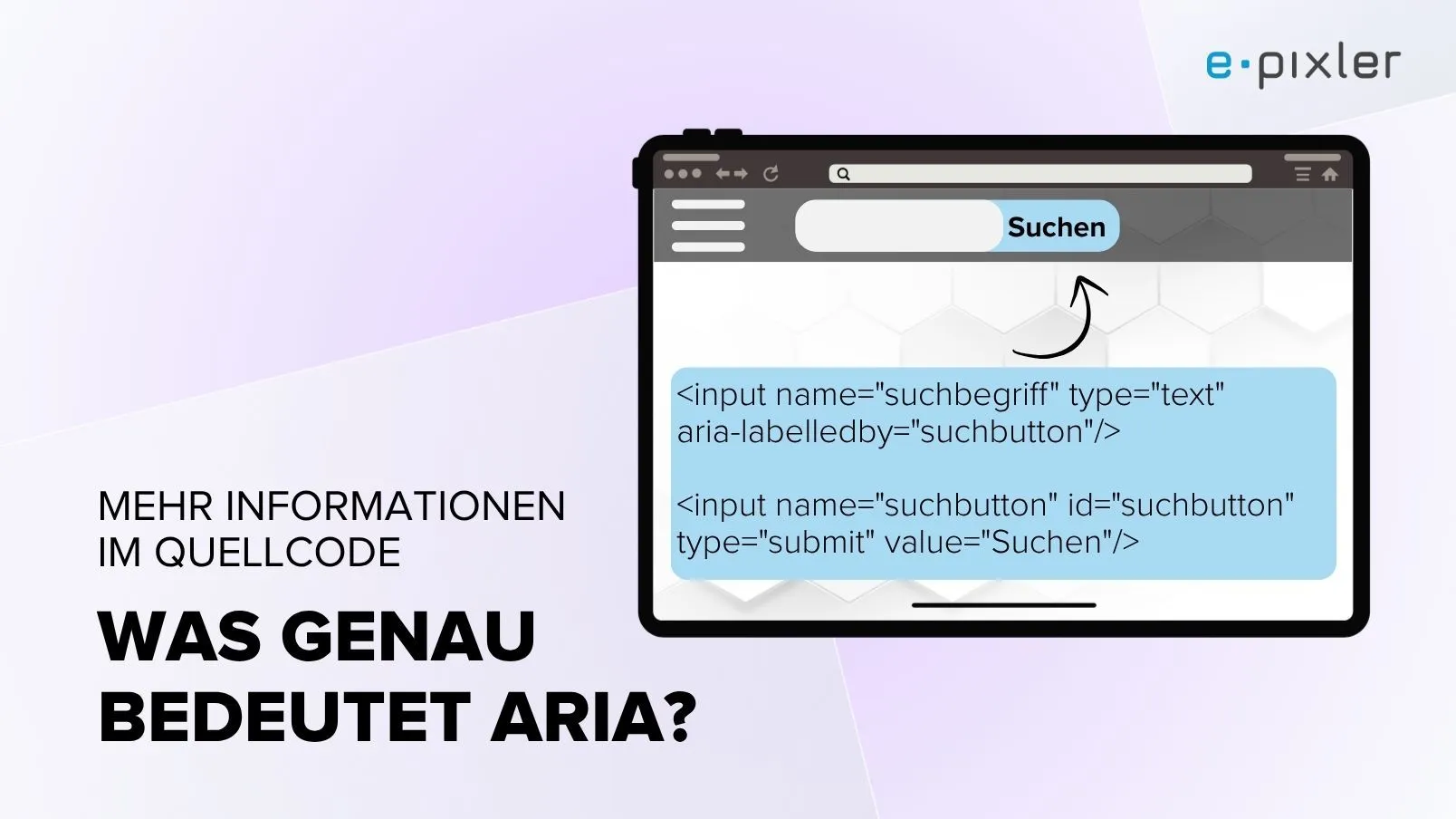
ARIA example for search buttons:
input name="suchbegriff" type="text" aria-labelledby="suchbutton"/input name="suchbutton" id="suchbutton" type="submit" value="Search"/
What happens here:
The text field receives a label here through the already accessible text of the search button. It is important that the text used as the label is in the source code after the button, yet it can still be used to label the text field. A screen reader reads out "Search, edit field" in this case.
Why is this important:
If information is already accessible on a page, it should be used to avoid redundant information.
Example of elements:
Elements are often used without visible text; a typical example is a magnifying glass for opening the search function. Without the aria-label attribute, this button would be completely without content information and thus not really perceivable: button aria-label="Start search" /
What happens here:
Screen readers can use the content and read it aloud
Why is this important:
So that elements without visible content also contain accessible information
The use of roles
The use of roles must be considered carefully, as there are often semantically correct HTML elements that can be used. One differing recommendation, however, concerns the use of landmarks; in addition to their own implicit role, these can also be assigned a role.
However, it may also be the case that, for example, the correct HTML elements cannot be used for system-related reasons, or that adjustments would be disproportionate. In that case, using the role attribute can be a solution.
Example:
div role="listbox" aria-labelledby="listLabel"div role="option" aria-selected="true"Option 1/divdiv role="option"Option 2/divdiv role="option"Option 3/div/div
What happens here:
The attribute role="listbox" marks the element as a collection of selectable options.role="option" defines the individual choices within this list.aria-selected="true" indicates which option is currently selected.
Why is this important:
These attributes make the function and state of the element understandable to assistive technologies — information that would otherwise be perceivable only visually.
Semantically correct HTML is better
ARIA attributes make information accessible, enable relationships between elements to be established, help avoid redundancies, and improve the usability of interactive components.
With ARIA attributes, the digital world becomes a little more accessible. However, the best case is when this goal can be achieved with as little additional effort as possible by using existing semantically correct HTML structures.
Aktuelles zu „General“
Alle Beiträge anzeigen


Sie wollen ein Projekt mit uns realisieren?
Schreiben Sie uns gern oder rufen Sie uns an unter
